AI Meeting Assistants: Admission, Retention and Consent
Pricing and features verified August 2026

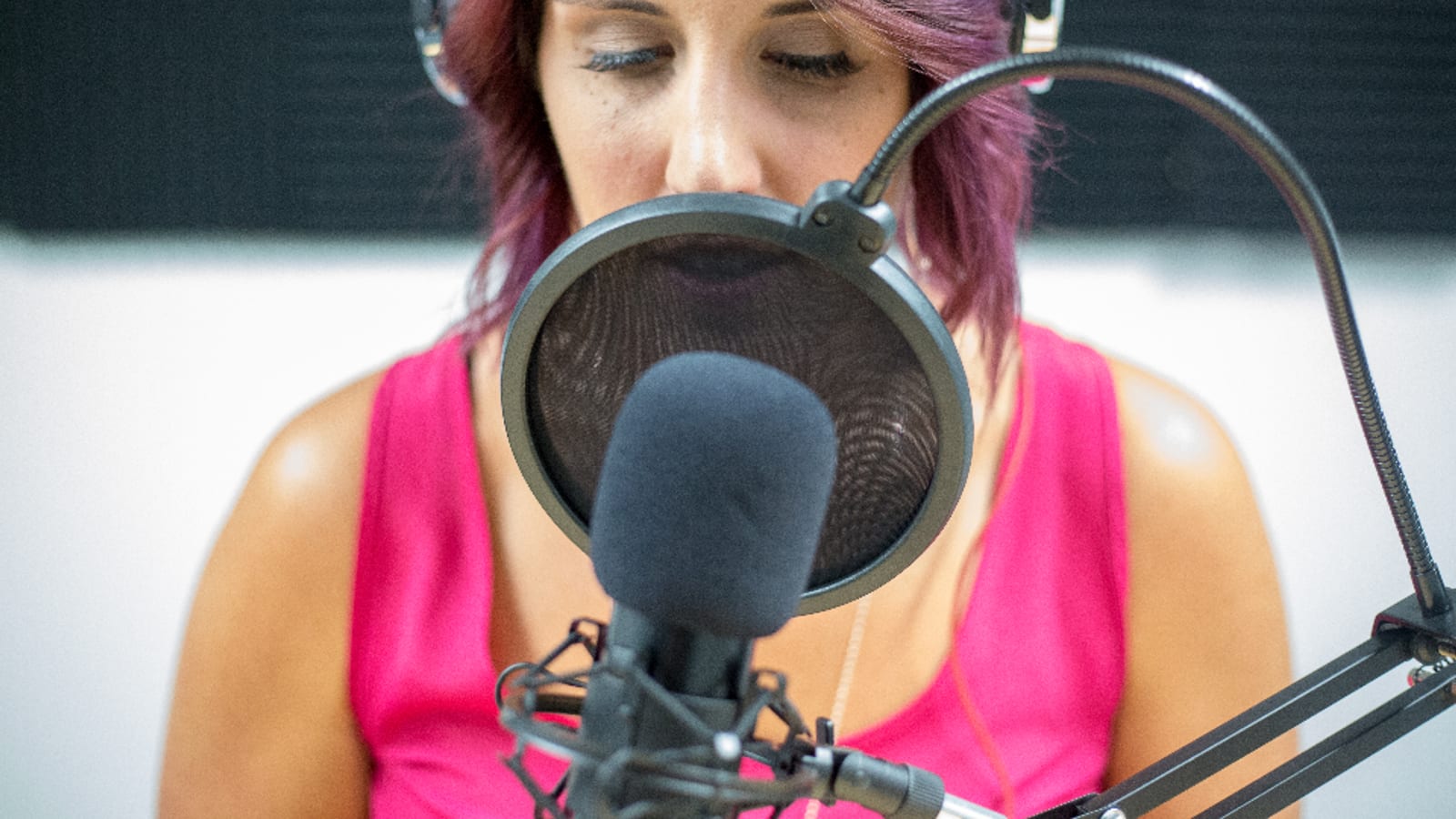
Photo by Kristin Hardwick via stocksnap (CC0)
On this page
- What was verified, and the numbers that were left out
- The comparison table: price, platforms, and how long the recording lives
- Microsoft Teams now stops note-taking bots at the lobby by default
- Google's written position: third-party Meet recorders are a security risk
- Recording consent: what to do before anything joins your call
- The consent features vendors ship, and which are off by default
- "One participant approved" is not all-party consent
- Retention is the number nobody publishes
- Who trains on your meetings: six policies, six answers
- Bot or bot-free is now an admission decision
- The nine assistants, one by one
- Fireflies.ai
- Otter.ai
- Fathom
- Avoma
- Read AI
- MeetGeek
- Fellow
- Circleback
- tl;dv
- The native option: Google Meet and Zoom
- Who this is not for
- How to choose: five situations, five picks
- Rolling one out without creating a compliance problem
- The verdict
Buy an AI meeting assistant for admission and retention, not for summary quality. Microsoft Teams now ships a policy whose default parks detected note-taking bots in the lobby until an organizer clicks Admit, no matter how that meeting's lobby is configured. Google tells Workspace admins that third-party Meet recorders can be a security risk. And most vendors never publish how long your recording lives. Those three facts decide this category now.
Key takeaways
- Microsoft documents RequireApprovalWhenDetected as the default value for external bot access in Teams, and says detected bots go to the lobby irrespective of the lobby configuration for the meeting
- Google states in writing that recording Meet meetings with third-party apps can be a security risk, and documents four separate ways for admins to shut it down
- MeetGeek is the only vendor here publishing a full retention ladder: 3 months of transcripts and 1 month of audio on Basic, 12 months of video and audio on Business
- Read AI caps audio and video retention at no longer than 2 years. Fathom, Fellow, Circleback and tl;dv publish no duration at all, and Otter publishes only a 30-day trash window
- Fireflies bot-free Google Meet recording starts once at least one participant approves, which is a one-party consent design in a country with roughly 11 all-party states
- Fathom ships a genuine pre-meeting consent email, and it is switched off until you turn it on
What was verified, and the numbers that were left out#
Every figure below came from the vendor's own pricing page, privacy policy or documentation, opened in August 2026, following how we test. Four things are missing because no primary source stated them.
tl;dv pricing. The pricing page returned no plan data, so no tl;dv price appears anywhere in this article.
tl;dv retention. The security page names encryption, hosting and compliance, but no storage duration.
Zoom plan prices and AI Companion inclusion. Zoom's pricing pages returned no dollar amounts. Check Zoom's current plan pages directly.
Which Google Workspace editions include "Take notes for me". Google's help page says only that the feature "requires an eligible Google Workspace edition or Google AI plan," and does not list which ones.
The comparison table: price, platforms, and how long the recording lives#
| Tool | Entry paid price | Platforms the vendor names | Retention published |
|---|---|---|---|
| Fireflies.ai | $10/seat/mo annual, $18 regular (Pro) | Zoom, Google Meet, Teams, plus more | A minutes quota, not a duration: 400 mins/team free, 8,000 mins/seat on Pro |
| Otter.ai | $8.33/user/mo annual, $16.99 monthly (Pro) | Zoom, Microsoft Teams, Google Meet | None. Only figure published is trash emptying after 30 days |
| Fathom | $16/user/mo annual, $20 monthly (Premium) | Zoom, Google Meet, Teams, Slack Huddles | None on the pricing page |
| Avoma | $19/seat/mo annual, $29 monthly (Startup) | Zoom, Teams, Meet, WebEx, GoToMeeting, Highfive | Listed as unlimited on every plan |
| Read AI | $15/user/mo annual, $19.75 monthly (Pro) | Zoom, Teams, Meet | Audio and video in no case longer than 2 years |
| MeetGeek | $9.99/user/mo (Pro) | Zoom, Meet, Teams; extension adds Webex, Discord, Slack | Full ladder published, 3 months to unlimited by plan |
| Fellow | $7/user/mo annual, $11 monthly (Team) | Google Meet, Teams, Zoom, Glean | None. Custom storage time is listed as coming soon |
| Circleback | $20.83/user/mo Individual, $25 Team | Not enumerated on the pricing page | None. Custom retention settings listed on Team |
| tl;dv | No plan data returned by the pricing page | Not enumerated on the pages checked | None on the security page |
Read that last column again. Six of nine vendors take an audio and video record of your commercial conversations and tell you nothing about how long they hold it.
Microsoft Teams now stops note-taking bots at the lobby by default#
Teams meeting policies contain a setting called "Manage external bots and their access to meetings," in the Meeting Join and Lobby section. The PowerShell attribute is ExternalBotAccessMode, with two values: do not detect bots, or require approval when detected. Microsoft's own options table marks the approval option as the default.
The consequence is precise. Microsoft states that detected bots are placed in the meeting lobby "irrespective of the lobby configuration for the meeting." Your lobby bypass does not apply to bots. An organizer, or a presenter depending on the meeting setting, has to click Admit, and Microsoft shows them a reminder about the risk of doing so.
Microsoft is blunt about why: these bots may record or transcribe meetings without participant awareness, and may store meeting data in third-party systems outside the organization's compliance boundaries.
Detection runs on what Microsoft calls a combination of infrastructural and behavioral signals, and it is imperfect by Microsoft's own admission. Some external bots may not be detected, and detection may occasionally misclassify a human as a bot, which organizers correct with a "This is not a bot" option.
A separate Teams Bot Identification Program, in public preview, lets bot vendors register with Microsoft and embed a self-identification marker in join requests, so Teams can flag them as known and compliant. Microsoft is explicit that this buys no free pass: even when a meeting allows participants to bypass the lobby, detected bots still require organizer approval.
One oddity if you script this: the page's prose says to use Set-CsTeamsMeetingPolicy, while both PowerShell samples show Set-CsTeamsEventsPolicy. Test in a pilot policy first.
Google's written position: third-party Meet recorders are a security risk#
Google does not hedge. Its Workspace admin help states that recording Meet meetings with third-party apps can be a security risk, and then documents how to stop it.
Block the recording app's domains
Chrome Enterprise admins can use website access policies to block specific domains tied to third-party recording apps.
Restrict recording apps and extensions
Admins can restrict third-party recording apps and extensions in Chrome and ChromeOS, which kills extension-based capture.
Block third-party app access to APIs
Cutting API access prevents unwanted third-party reach into Workspace data more broadly, not just Meet.
Make Restricted the default meeting access
Hosts can set meeting access to Restricted so uninvited participants must request admission, and admins can make that the default for every meeting the organization hosts.
Google adds two more levers: a host can remove an unauthorized recording app like any other participant, and you can ask the company behind the app to block your domain. Add Teams and Meet together and the picture is clear — both platforms treat uninvited AI recorders as an admission problem, and both have handed the controls to IT.
Recording consent: what to do before anything joins your call#
This is practical guidance drawn from published sources, not legal advice. The rules that apply to you depend on where every person on the call is sitting.
The baseline, per the Reporters Committee for Freedom of the Press, is that federal law requires the consent of at least one party before recording in-person, telephone or electronic conversations, citing 18 U.S.C. sections 2510 and 2511. State law layers on top.
The Reporters Committee counts about 11 states with all-party consent requirements: California, Delaware, Florida, Illinois, Maryland, Massachusetts, Michigan (at least for recordings made by a third party not involved in the conversation), Montana, New Hampshire, Pennsylvania and Washington. Four more split the difference. Missouri and Oregon require all-party consent for in-person conversations but only one party for phone calls; Connecticut and Nevada are the reverse. Hawaii and Maine require all-party consent only in particularly private places.
Law firm Faegre Drinker's guidance on AI meeting assistants recommends three practices. Tell all participants an assistant is in use, what outputs it will prepare and what limitations it may have. Write a formal policy setting out the dos and don'ts for these tools against your own operations, industry standards and regulatory requirements. And treat privileged conversations as off-limits: the same guidance notes that AI recordings, notes and transcriptions are discoverable in litigation, and recommends disabling these tools during privileged conversations to avoid discoverability or inadvertent waiver of privilege.
The same guidance flags an accuracy problem that rarely makes feature comparisons: the technology may struggle to recognize or accurately attribute speech for speakers with accents, non-native English vernacular, or unusual pitch or cadence. If the transcript becomes the record of what was decided, misattribution is not cosmetic.
The consent features vendors ship, and which are off by default#
| Product | What it actually does | On by default? |
|---|---|---|
| Fathom auto consent request | Emails external attendees 24 hours before the meeting with a consent or decline choice; one decline disables auto-record for that meeting. Same-day meetings get no email | No. Toggled on in Settings, or set to Enabled for all by Team admins |
| Google Meet Take notes for me | Informs all participants notes are being taken; a pencil icon appears on every screen | Built in, not optional |
| Zoom recording disclaimer | Prompts participants for consent and notifies anyone joining a session already recording | Available; customizing it needs Business, Education, API or Enterprise with 100+ licenses |
| Zoom recording notifications | Visual disclaimer for Zoom clients, targetable at all participants or guests only, plus a voice prompt that can be set to all participants, guests only or no one | Admins can set both and click Lock to stop users changing them. Phone joiners always hear the voice prompt regardless |
| Fireflies Google Meet SDK | Shows a "Make sure everyone is ready" prompt before capture, then a persistent banner reading "You are sharing call audio and video with Fireflies.ai Notetaker" | Part of the bot-free flow |
Fathom's is the most honest consent design here. It emails attendees ahead of the call rather than burning meeting time, and a decline disables auto-record for that meeting. It is also switched off until you switch it on, and that single default separates a defensible program from a room full of people who never agreed to anything.
Zoom's model deserves a clear-eyed reading too. The participant's choice is binary: consent and stay, or leave. There is no option to remain in a meeting you were required to attend while withholding consent, so the prompt hands the entire cost to the person least willing to be recorded.
"One participant approved" is not all-party consent#
Fireflies' bot-free Google Meet integration captures audio and video directly through the Meet SDK with no visible bot. Its own documentation states the design plainly: only one participant needs to approve the recording for it to start. Other attendees see the same prompt but their non-response does not block anything, and any of them can stop sharing at any time, which ends the recording immediately. A banner reading "You're sharing call audio and video with Fireflies.ai Notetaker" stays up for the duration.
That is a one-party consent architecture, shipped into a country where the Reporters Committee counts roughly 11 all-party states. The product is not doing anything unlawful by design — the federal baseline is one-party — but it will not carry you across a state line on its own.
The Fireflies SDK route has hard technical limits too. It captures audio and video from up to three active participants at a time, does not support chat messages or captions, and allows only one active integration per meeting session.
Retention is the number nobody publishes#
MeetGeek is the outlier, and that alone earns it a place here despite a modest feature set. It publishes an actual ladder: Basic gives 3 months of transcript storage and 1 month of audio; Pro gives 1 year of transcripts and 6 months of audio; Business gives unlimited transcripts plus 12 months of video and audio; Enterprise is custom. Deauthorizing the app triggers automated deletion of meetings, transcripts, profiles and tokens.
Read AI publishes the only hard ceiling: audio and video information, including anything derived from it, is stored in no case for longer than 2 years. Paid data is retained until you stop paying or request deletion.
Fireflies converts the question into a quota — 400 minutes per team on Free, 8,000 per seat on Pro, unlimited above that. Its privacy policy adds that closing your account triggers deletion of related personal information within 30 days.
Otter publishes exactly one number: deleted conversations sit in trash for 30 days before automatic deletion. That tells you nothing about the conversations you have not deleted.
Fathom, Fellow, Circleback and tl;dv publish no retention duration at all. Circleback says data is retained as long as you have an open account, and lists custom retention settings on Team without stating a default. Fellow lists custom storage time as coming soon.
Who trains on your meetings: six policies, six answers#
| Vendor | What the policy says |
|---|---|
| Fireflies.ai | Does not use personal information for AI model training, and contractually prohibits vendors from using it for their own training |
| tl;dv | No customer data is used to train the AI. Names Anthropic as its AI partner and describes anonymizing metadata, chunking meetings and randomizing sequence order before sharing |
| MeetGeek | Does not use customer-submitted data to train its models or improve the service unless you specifically request it |
| Read AI | Does not use, and does not permit third-party tools to use, data collected via Google Workspace APIs to train generalized models. A separate Customer Experience Program is opt-in |
| Otter.ai | Uses a proprietary method to de-identify user data before training its models. No opt-out is described on the privacy and security page |
| Circleback | Silent. The privacy policy does not state whether customer data is used for AI training in either direction |
Circleback's silence is the finding, not an accusation. A policy that lists AI model providers among its service providers but never addresses training is a question to put in writing before you sign. The AI tool security checklist has the exact wording to send.
Fathom, Avoma and Fellow did not address model training on the pages checked here. Fathom's policy is covered in the AI note-taking apps roundup.
Bot or bot-free is now an admission decision#
With the Teams default in place, bot-free capture stopped being an etiquette preference and became an architecture decision.
What works
- Fathom states that with bot-free capture nothing joins the meeting and nothing needs to be admitted
- No extra tile in the participant grid, no awkward pause while someone hunts for the Admit button
- Fathom keeps speaker attribution and mute acknowledgment in bot-free mode, two details it says most bot-free tools drop
- Fireflies can capture directly through the Google Meet SDK rather than dialing in as a participant
What does not
- Removing the bot removes the participant tile most people read as a recording notice, leaving your announcement and written policy as the disclosure layer
- Fathom bot-free is currently Mac-only, so Windows-heavy teams cannot standardize on it
- The Fireflies SDK route captures only up to three active participants at a time and skips chat and captions
- Google Meet supports only one active SDK integration per meeting session, so two bot-free tools cannot run side by side
The decision rule: if your meetings are internal and your tenant enforces the Teams default, bot-free saves real friction. If your meetings are external, keep the bot, because the visible tile is doing disclosure work you would otherwise have to do by hand every call.
The nine assistants, one by one#
Fireflies.ai#
Fireflies.ai
Best for: Teams that want a written no-training commitment and a bot-free Google Meet path
4.3
- Pricing
- Free $0; Pro from $10/seat/month billed annually (checked August 2026)
Free gives 400 minutes of storage per team and 20 AI credits. Pro raises storage to 8,000 minutes per seat, Business and Enterprise are unlimited. Per-meeting recording caps run 2 hours on Free and Pro, 3 hours on Business, 4 hours on Enterprise. Business and Enterprise are $19 and $39 per seat per month on annual billing.
The privacy language is the strongest here. The policy states Fireflies does not use personal information for AI model training and contractually prohibits its vendors from using it for their own model training, under a zero data retention commitment that meeting content is not stored or accessed by any third-party vendor after processing. Closing an account triggers deletion of related personal information within 30 days.
Specific limitation: the Pro upgrade buys storage, not headroom. AI credits stay at 20 on both Free and Pro, and the per-meeting recording cap stays at 2 hours — you need Business at $19 per seat to get 3 hours and 30 credits.
Otter.ai#
Otter's Basic plan is tight: 300 transcription minutes a month, 30 minutes per conversation, three lifetime audio or video file imports, and only your 25 most recent conversations kept. Pro is $8.33 per user per month annually or $16.99 monthly, with 1,200 minutes per user, up to 90 minutes per meeting and 10 file imports a month. Business is $19.99 annually or $30 monthly, with unlimited meetings at up to 4 hours each. Security is documented: AES-256 server-side encryption on AWS S3, plus SOC 2 Type 2, GDPR, CCPA, VPAT and HIPAA listings.
Specific limitation: Otter de-identifies user data before training its models, and its privacy and security page describes no way to opt out of that training.
Fathom#
Fathom
Best for: The most generous free tier, and the only real pre-meeting consent email
4.5
- Pricing
- Free $0 forever; Premium from $16/user/month billed annually (checked August 2026)
Free includes unlimited recordings and transcriptions, instant AI call summaries, and clips, playlists and search across calls. Premium adds advanced summaries and AI-generated action items. Team plans need two or more users: Team $15 annually, Business $25 annually, which adds CRM field sync and AI scorecards.
Fathom covers Zoom, Google Meet, Microsoft Teams and Slack Huddles, and offers a bot-free beta that keeps speaker attribution and mute acknowledgment.
Specific limitation: bot-free capture is Mac-only right now, so no Windows user on your team can use it. The consent email only goes out 24 hours ahead, so anything booked same-day gets no advance notice at all. And Fathom publishes no storage retention period on its pricing page.
Avoma#
Avoma has the broadest verified platform list here: Zoom, Microsoft Teams, Google Meet, WebEx, GoToMeeting and Highfive, plus dialers including Aircall, Dialpad, RingCentral, Zoom Phone, Groove and Outreach. Storage duration is listed as unlimited on every plan. Annual pricing runs $19, $24 and $39 per seat per month across Startup, Organization and Enterprise, with an unrestricted 14-day trial of the Organization plan with all add-ons enabled.
Specific limitation: the headline seat price is not the real price for revenue teams. Conversation Intelligence and Revenue Intelligence are $29 per seat per month each on annual billing, and Lead Router is $19 — add all three and a $19 Startup seat becomes $96. Enterprise also carries a 10-seat minimum.
Read AI#
Free allows 5 meeting transcripts per month with a 1-hour meeting cap. Pro is $15 per user per month annually or $19.75 monthly, with 4-hour meetings and 100 file upload credits. Enterprise+ stretches to 8-hour meetings with a 5-license minimum. All paid plans include unlimited storage, and Read AI certifies compliance with the EU-U.S. and Swiss-U.S. Data Privacy Frameworks plus the UK Extension.
Specific limitation: five transcripts a month makes the free plan an evaluation tool, not a working one. You will hit the wall in your first week.
MeetGeek#
MeetGeek
Best for: Anyone who has to answer 'how long are recordings kept' in writing
4.2
- Pricing
- Basic free forever; Pro $9.99/user/month (checked August 2026)
The clearest retention disclosure of any vendor checked: 3 months of transcripts and 1 month of audio on Basic, 1 year and 6 months on Pro, unlimited transcripts with 12 months of video and audio on Business at $17 per user per month. Compliance listed as SOC 2, GDPR, HIPAA and CCPA, with EU and US data hosting.
Specific limitation: Basic caps you at 3 hours of transcription per month and 2 hours per meeting, which is roughly four weekly standups. Webex, Discord, Zoom Webinars and Slack coverage requires the Chrome extension rather than native support.
Fellow#
Fellow is the cheapest paid entry point here at $7 per user per month billed annually, or $11 monthly, rising to $15 and $25 annually for Business and Enterprise. Enterprise carries a 10-user minimum and is the only tier with HIPAA and BAA compliance; GDPR and SOC 2 Type II are listed across the board. Integrations named on the pricing page are Google Meet, Microsoft Teams, Zoom and Glean.
Specific limitation: the free tier is 5 AI notes and 5 AI recordings per user for the lifetime of the account, not per month. That is a demo, not a free plan.
Circleback#
Circleback lists Individual at $20.83 per user per month and Team at $25 per user per month, with monthly and yearly toggles on the page. Individual covers AI notes for unlimited meetings, in-person recording and imports of past recordings. Team adds shared meetings, custom data retention settings and Slack huddles support. The page claims integrations with 1,000-plus apps and support for over 100 languages.
Specific limitation: the privacy policy is silent on AI model training, publishes no subprocessor list, and describes security only as appropriate physical, technical, organizational and administrative measures with no encryption standard named. The pricing page also does not enumerate which meeting platforms are supported.
tl;dv#
tl;dv has the most specific data-residency story here. All data centers are in Europe, hosted on Google Cloud Platform, AWS and Hetzner, with AES-256 storage encryption and SSL in transit. It states that no customer data trains the AI, names Anthropic as its AI partner, and describes anonymizing metadata, chunking meetings and randomizing sequence order before sharing. Compliance claims include SOC 2 Type II, GDPR and EU AI Act.
Specific limitation: not one price could be verified from a tl;dv-owned page, and the security page publishes no retention duration. Check current pricing at tldv.io before you commit.
The native option: Google Meet and Zoom#
Google Meet's "Take notes for me" produces a Google Doc with summary, decisions, next steps and details sections. Disclosure is not a setting — Meet informs all participants that notes are being taken and a pencil icon appears on everyone's screen. It supports English, French, German, Italian, Japanese, Korean, Portuguese and Spanish, one language at a time, with no support for multilingual meetings.
The licensing rule catches people out: the meeting organizer must have the Workspace edition that includes the feature. Your license does not help if you are not the organizer.
Zoom's native controls are worth configuring whichever assistant you buy. Admins can turn on the recording consent disclaimer for Zoom clients, target it at all participants or guests only, and click Lock so nobody in the account can change it. Customizing the disclaimer text needs a Business, Education, API or Enterprise account with 100 or more licenses. Anyone who joins audio by phone always hears a voice prompt when a meeting is being recorded, whatever else you configure.
Who this is not for#
Skip this category in three situations.
If your calls are privileged, do not record them. Faegre Drinker's guidance flags that using AI assistants during attorney-client communications risks discoverability or inadvertent waiver of privilege.
If IT will not approve a third-party bot in Teams or Meet, buying seats is wasted money. Settle the admission question before the procurement question.
And if your meetings are two people who both take notes, a shared doc costs nothing. Look at transcription tools if all you need is a searchable record.
How to choose: five situations, five picks#
Rating
4.5/5
- Free tier that actually works
- 5.0
- Consent tooling
- 4.5
- Retention transparency
- 2.0
- Platform coverage
- 4.5
- Admission friction
- 4.0
Fathom is the default pick: an unlimited free tier, coverage of Zoom, Meet, Teams and Slack Huddles, a bot-free option, and the only pre-meeting consent email in this roundup. Its unpublished retention policy is the one thing to raise before you standardize on it.
You want the best free plan. Fathom. Unlimited recordings and transcriptions at $0, free forever, with clips and cross-call search included.
You have to answer a retention question in a security review. MeetGeek. The only vendor publishing durations per plan, which turns a three-week email thread into a link. Its free tier gives you 3 hours of transcription a month, so pilot it on paid.
You run sales calls across many platforms and dialers. Avoma. Six conferencing platforms and six dialers verified, unlimited storage duration on every plan. Budget for the add-ons, which cost more than the seat.
A written no-training commitment is the deciding term. Fireflies or tl;dv. Fireflies bars its own vendors from training on your data; tl;dv keeps every data center in Europe but publishes no price you can verify before a sales call.
You are on one platform, tenant-wide. Use the native tool. Google Meet's built-in notes carry disclosure no third-party bot can match, and nothing has to be admitted. The catch is that the organizer needs the eligible Workspace edition, and the notes handle one language at a time.
Rolling one out without creating a compliance problem#
Settle admission before you buy seats
Confirm your Teams bot policy and Meet admin restrictions with IT first. If the default approval requirement stays on, every meeting needs a human to admit the bot, and that friction belongs in the buying decision.
Write the policy before the first call
Faegre Drinker recommends a formal policy setting out the dos and don'ts for these tools, weighed against your own operations, industry standards and regulatory requirements. One page is enough. Name excluded conversation types explicitly, starting with anything privileged.
Turn on every disclosure feature the vendor ships
Fathom's consent request email is off until you enable it. Zoom's disclaimer and notification prompts need setting and locking. Assume nothing is on by default.
Set retention deliberately
If your vendor publishes durations, pick the shortest one that works. If it publishes none, ask in writing what the default is and whether it can be shortened, before you upload a year of calls.
Announce it out loud anyway
The bot tile, the prompt and the email are backstops. Saying it at the top of the call is the disclosure that reaches everyone, including whoever joined late from a phone.
Run the vendor through the framework for evaluating AI tools before buying and you will surface the retention and training gaps in an afternoon rather than during an audit.
The verdict#
Start with Fathom. The free tier is genuinely unlimited, it covers Zoom, Meet, Teams and Slack Huddles, it offers a bot-free path, and it is the only tool here that emails attendees for consent before the meeting instead of surprising them during it. Turn that setting on the day you sign up, and ask Fathom in writing what its retention default is, because the pricing page does not say.
Switch to MeetGeek if a security review will ask how long you keep recordings, because MeetGeek already published the answer. Switch to Avoma if you need WebEx, GoToMeeting or dialer coverage.
But run the admission question first. The most accurate summary in the category is worth nothing if your tenant parks the bot in the lobby and nobody clicks Admit.
Frequently asked questions
Do AI meeting assistants need everyone's consent to record?
It depends where each participant is sitting. The Reporters Committee states federal law requires the consent of at least one party, and counts about 11 states with all-party requirements, including California, Illinois, Washington and Pennsylvania. This is reporting on published guidance, not legal advice. Ask your own counsel.
Why is your AI notetaker stuck in the Microsoft Teams lobby?
Because Teams now detects external bots by default. Microsoft's meeting policy setting RequireApprovalWhenDetected is the documented default, and detected bots are placed in the lobby irrespective of the lobby configuration for the meeting. An organizer or presenter has to admit the bot manually every time.
Can a company block AI notetakers from joining meetings?
Largely yes. Google's admin help documents blocking recording-app domains via Chrome Enterprise, restricting recording extensions in Chrome and ChromeOS, blocking third-party app access to APIs, and setting meetings to Restricted. In Teams, keeping the default bot policy forces organizer approval before any detected bot joins.
How long do AI meeting assistants keep recordings?
Very few vendors say. MeetGeek publishes a full ladder, from 3 months of transcripts on Basic up to 12 months of video on Business. Read AI's policy caps audio and video at two years. Fireflies sells storage as a minutes quota. Otter publishes only a 30-day trash window. Fathom, Fellow, Circleback and tl;dv publish no duration at all.
Do AI meeting assistants train on your meeting data?
The answers differ sharply. Fireflies and tl;dv both state customer data is not used for AI training. MeetGeek says it does not train on customer data unless you request it. Otter de-identifies user data before training its models. Circleback's privacy policy does not address the question either way.
What is a bot-free AI meeting assistant, and is it better?
It captures the call without joining as a visible participant. Fathom offers a bot-free beta that is currently Mac-only, and Fireflies can record through the Google Meet SDK. Nothing needs admitting, which sidesteps lobby policies, but you also lose the participant tile most people read as a recording notice.
Sources
- Microsoft Learn: manage external bots and their access to meetings
- Microsoft Learn: Teams Bot Identification Program
- Google Workspace admin help: external apps are recording Meet meetings
- Google Meet help: Take notes for me
- Zoom support: customizing the recording consent disclaimer
- Zoom support: modifying recording notification prompts
- Fireflies.ai pricing page
- Fireflies.ai privacy policy
- Fireflies knowledge base: bot-free recording with the Google Meet SDK
- Otter.ai pricing page
- Otter.ai privacy and security page
- Fathom pricing page
- Fathom help center: automatically requesting recording consent
- Fathom: bot-free note taker
- Avoma pricing page
- Read AI pricing page
- Read AI privacy policy
- MeetGeek pricing page
- MeetGeek privacy page
- Fellow pricing page
- Circleback pricing page
- Circleback privacy policy
- tl;dv security commitment page
- Reporters Committee for Freedom of the Press: Reporter's Recording Guide
- Faegre Drinker: permission to record, considerations for AI meeting assistants
Editorial
The editorial team behind aitoolstutorial.com. Every tool is checked against its vendor's own pricing and docs before anything is published, every source is linked at the foot of the article, and every recommendation names at least one thing the tool gets wrong.