Best AI Note-Taking Apps: Verified Pricing and Consent Rules
Pricing and features verified August 2026

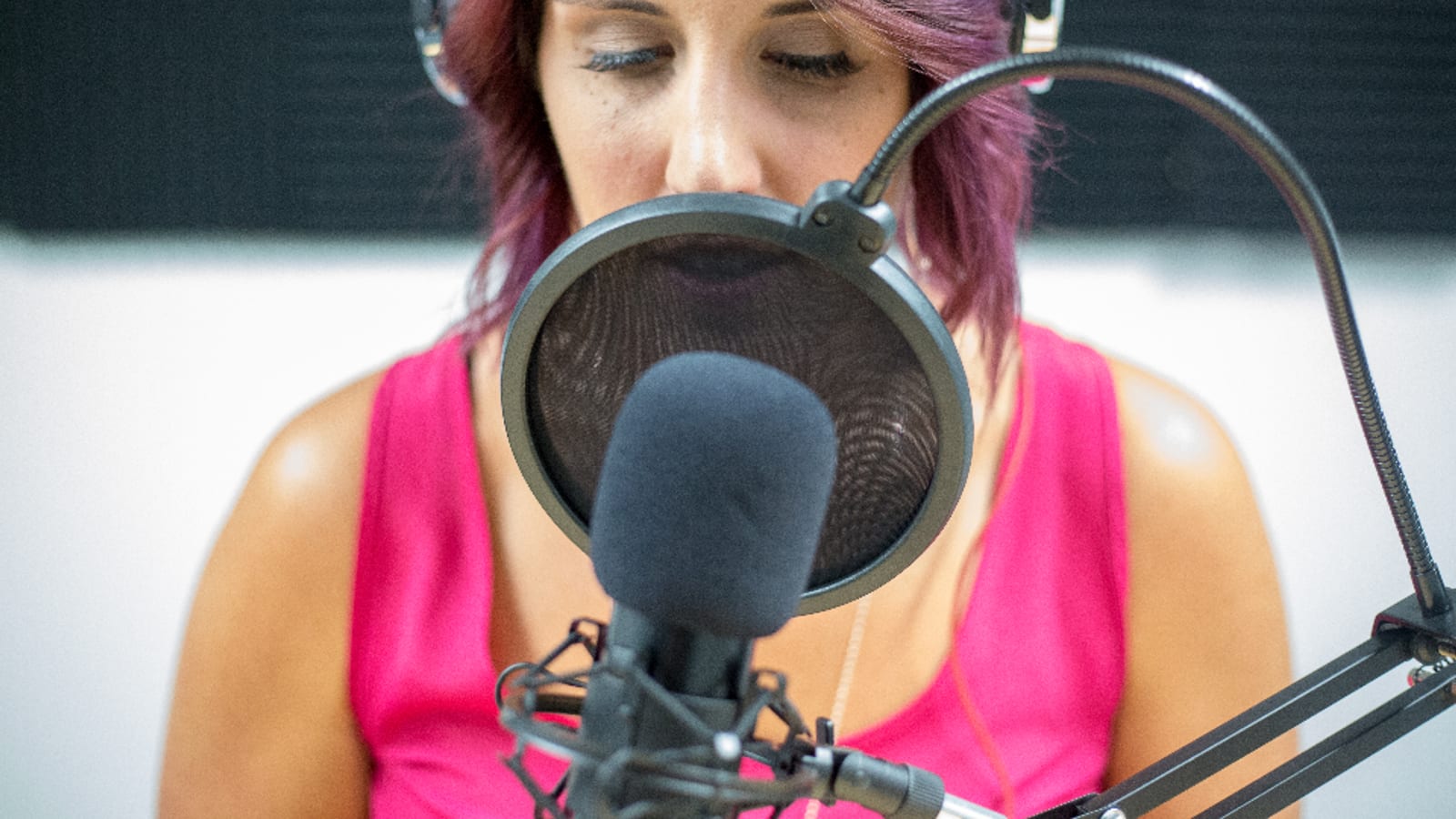
Photo by Photo Mix via stocksnap (CC0)
On this page
- How these numbers were checked, and what was left unpublished
- The comparison table
- Before you install anything: the consent problem
- Consent-or-leave: what a recording prompt actually offers everyone else
- Bot or no bot is a consent decision, not a preference
- Who trains on your meetings: four policies, four different answers
- Otter.ai
- Fireflies.ai
- Fathom
- Granola
- Tactiq
- Avoma
- Notion AI
- Gemini Notebook, formerly NotebookLM
- Who should not install one of these at all
- How to choose: five situations and the pick for each
- Rolling one out without creating a compliance problem
- The verdict
Fathom has the strongest published free tier: $0/month with unlimited recordings and transcriptions (checked August 2026). Granola never stores your meeting audio at all. Fireflies puts a no-training commitment in writing. Otter's own policy says it trains on de-identified recordings and transcripts. Four vendors, four different answers to the same question — and that difference matters more than any feature list, because recording other people carries obligations most roundups skip entirely.
Key takeaways
- Four vendor privacy policies answer the model-training question four materially different ways — Fireflies says no, Otter says yes on de-identified data, Fathom and Granola say yes with an opt-out
- Granola's security page states it does not store meeting audio at all; transcription happens in real time on macOS and Windows
- Federal law is one-party consent, but the Reporters Committee counts about 11 primarily all-party consent states — California penalties run to $2,500 per violation on a first offense
- A bot in the participant list is the notice. Bot-free capture removes it, which is why Granola ships a separate consent document
- Fathom free is unlimited recordings and transcriptions; Otter free is 300 minutes a month; Fireflies free stores only 400 minutes per team
How these numbers were checked, and what was left unpublished#
Every price, limit and policy quote below came from a page on the vendor's own domain, opened in August 2026. Four examples of what that discipline removed:
Fireflies free storage. The Fireflies pricing page lists "400 mins of storage/team" on the free plan. The 800-minute figure repeated across third-party comparisons is not what the vendor publishes.
Granola's free history cap. Granola's pricing page says only "See limited meeting history," and its own pricing explainer says "Limited meeting history." Neither states a number, so none is quoted here.
A ninth tool. One widely recommended notetaker's pricing page would not render, and its help center publishes no prices, so it is not in the table.
Google's AI plan prices. The Google One AI plans page rendered no figures when checked, so no price appears here for the paid Gemini Notebook tiers.
Prices for Notion and Tactiq were served in euros. The euro figures stand as published rather than converted.
The comparison table#
| Tool | Entry paid price | Free tier | Trains on your meeting data? |
|---|---|---|---|
| Otter.ai | $8.33/user/month annual, $16.99 monthly (Pro) | 300 transcription minutes/month, 30 min per conversation | Policy describes training on de-identified audio and transcriptions |
| Fireflies.ai | $10/seat/month annual, $18 regular (Pro) | Unlimited transcription, 400 minutes of storage per team | Policy states no personal information is used for AI model training |
| Fathom | $16/month annual, $20 monthly (Premium) | Unlimited recordings and transcriptions, free forever | Trains in-house models on de-identified content, opt-out in settings |
| Granola | $14/month (Business) | AI meeting notes, limited meeting history with no number published | Trains on anonymized data, opt-out any time, no audio stored |
| Tactiq | EUR 6.67/user/month annual (Pro) | 10 transcripts and 5 AI credits per month | Not stated on the pages checked |
| Avoma | $19/seat/month annual, $29 monthly (Startup) | No free plan, 14-day trial of Organization | Not stated on the pages checked |
| Notion AI | EUR 9.50/member/month (Plus) | Free plan with trial AI access, no numeric cap published | LLM-provider zero retention on Enterprise, 30-day retention elsewhere |
| Gemini Notebook | Paid via Google AI plans, no price rendered on the plans page | 100 notebooks, 50 sources each, 50 chats/day | Not covered on the pages checked |
Notion AI and Gemini Notebook are in the table because people search for them here, but neither records a call. They are note tools, not meeting tools.
Before you install anything: the consent problem#
An AI notetaker records people who never agreed to anything. That is a legal question with a real answer, and it varies by where each participant is sitting.
Federal law at 18 U.S.C. § 2511(2)(d) permits a person not acting under color of law to intercept a communication where that person is a party to it, or where one party gave prior consent. The exception does not apply where the interception is for the purpose of a criminal or tortious act.
State law is where it gets expensive. The Reporters Committee for Freedom of the Press states that federal law requires the consent of at least one party, and counts about 11 states that primarily have all-party consent requirements: California, Delaware, Florida, Illinois, Maryland, Massachusetts, Michigan, Montana, New Hampshire, Pennsylvania and Washington. Four more — Missouri, Oregon, Connecticut and Nevada — require all-party consent for either in-person conversations or phone calls but not both. Hawaii and Maine require it only in particularly private places.
California Penal Code § 632 covers recording a confidential communication without the consent of all parties. A first offense carries a fine of up to $2,500 per violation, county jail of up to a year, or state prison, or both a fine and imprisonment. With a prior conviction under the related sections, the fine ceiling rises to $10,000 per violation.
This is not hypothetical. Brewer v. Otter.ai (N.D. Cal., case number 5:25-cv-06911) was filed in August 2025. As summarized by law firm Fisher Phillips, the complaint invokes the federal Electronic Communications Privacy Act, the Computer Fraud and Abuse Act and the California Invasion of Privacy Act, and alleges that Otter records not only account holders but third parties in customers' meetings — and that Otter tells customers to obtain the necessary permissions rather than obtaining consent itself. These are allegations in a pending civil case, not findings of liability.
Consent-or-leave: what a recording prompt actually offers everyone else#
Read Zoom's own documentation on providing consent to be recorded and the design becomes obvious. On desktop and mobile, a participant clicks OK to grant consent, or clicks Leave and then Leave Meeting to opt out and exit. On Zoom Rooms for Touch it is Continue, or No, Leave Meeting. On H.323 and SIP devices it is tap # to consent, tap * to opt out and exit.
There is no third option. You cannot stay in the meeting and withhold consent.
So the prompt does not share the decision — it hands the whole cost to the person who least wants to be recorded, who must accept or drop out of a meeting they were required to attend. The software will not do the consent work for you.
Bot or no bot is a consent decision, not a preference#
A bot that joins the call and appears in the participant list is the notice. Everyone can see it. Remove the bot and you have removed the only signal most participants ever get.
Granola captures locally with no bot, and it publishes a standalone consent document alongside its privacy policy. The policies index summarizes it in seven words: "In short: tell people you're using Granola." Its help-centre guide, "When to Use AI Notetaking: A Guide for Your Team", states that recording and transcription laws vary by region, so when in doubt, check with your own legal or IT team.
Granola also ships two disclosure features: "a watermark on the user's camera and an automated message in the meeting chat that are visible to everyone in the meeting." The documentation describes both as appearing "when enabled" and points to separate setup guides for individuals and for enterprise admins — so somebody has to switch them on.
Fathom exposes the same trade-off as a toggle. Its free plan offers a choice of bot-free capture, currently in beta, or bot capture. Pick bot-free and you have opted out of the visible notice; the disclosure obligation does not disappear with it.
Who trains on your meetings: four policies, four different answers#
This is the comparison that should decide your shortlist.
| Vendor | Model training language | What the policy says about deletion or retention |
|---|---|---|
| Otter.ai | Describes training its proprietary AI on de-identified audio recordings and on transcriptions, which may contain personal information | Stores personal information for as long as necessary, or as required by law. Removed data is rendered irrecoverable and permanently deleted |
| Fireflies.ai | States it does not use personal information for AI model training and contractually prohibits vendors from doing so for their own training | Account data is kept while the account is active; on closure, related personal information is deleted within 30 days |
| Fathom | May use de-identified data from meeting content to train and improve in-house models, with an opt-out in account settings | Aims to delete recordings within 30 days of a deletion request but states it cannot guarantee that timeframe |
| Granola | Does not allow third parties such as OpenAI or Anthropic to train on your data; trains on anonymized data with an opt-out in settings | Does not store meeting audio at all; notes are held encrypted in a US-hosted AWS VPC |
Two details worth adding. Granola's free plan carries the bullet "Opt out of model training any time," so the opt-out is not paywalled — though only Enterprise gets an organisation-wide one. And Notion's pricing page puts LLM-provider zero data retention on Enterprise workspaces only, listing 30-day retention elsewhere — so the AI data terms you read about Notion may not be the terms on your plan.
For Tactiq and Avoma no claim is made in either direction; neither vendor's public pages addressed model training. Ask before you deploy, and use this AI tool security checklist to structure the request.
Otter.ai#
Otter has the longest integration list here. Its integrations page lists Google Meet, Microsoft Teams, Zoom and Zoom Phone; CRM connections to HubSpot, Salesforce, Microsoft Dynamics and Zoho; Slack, Outlook, Asana and Notion; storage in Google Drive, Dropbox, OneDrive and Amazon S3; plus Zapier and a Claude integration via MCP.
Pricing (checked August 2026): Basic is free forever with 300 monthly transcription minutes, a 30-minute maximum per conversation, three lifetime file imports and five custom vocabulary terms. Pro is $16.99/user/month monthly or $8.33/user/month annual, with 1,200 in-app recording minutes, up to 90 minutes per meeting and 10 monthly file imports. Business is $30/user/month monthly or $19.99 annual, with unlimited meetings and in-app recordings, up to four hours per meeting and unlimited file imports. Enterprise is custom-priced.
What works
- Widest verified integration list here, including CRM, storage and Zapier
- Genuine free forever tier with 300 transcription minutes a month
- Business tier allows four-hour meetings and unlimited file imports
What does not
- The privacy policy describes training its AI on de-identified recordings and transcriptions, and neither that policy nor the pricing page offers a customer-facing opt-out from it
- Retention is described only as for as long as necessary, with no published number of days
- Three lifetime file imports on free means bulk uploading old recordings is off the table
- Otter is the defendant in a pending civil case over recording non-users, in which the allegations have not been proven
Fireflies.ai#
Fireflies has the sharpest written data commitment here: it states it does not use personal information for AI model training and contractually prohibits its vendors from using it for their own training. If model training is your objection to notetakers, that is the strongest sentence any of these vendors publishes.
Pricing (checked August 2026): Free is $0 with unlimited transcription, unlimited AI summaries, 20 AI credits and 400 minutes of storage per team. Pro is $10/seat/month billed annually, regular $18, with 8,000 minutes of storage per seat. Business is $19/seat/month annual, regular $29, with unlimited storage and 30 AI credits. Enterprise is $39/seat/month annual only, with 50 AI credits. The pricing page lists Zoom, GMeet and Teams as supported platforms, and transcription in 100+ languages across plans.
The specific limitation: 400 minutes of storage per team on free is roughly thirteen half-hour meetings for the whole team, not per person. Transcription is unlimited, storage is not, and the cap is shared — a three-person team hits it in two weeks.
Fathom#
The best free tier here on published limits. Fathom's free individual plan is $0/month, described as free forever, with unlimited recordings and transcriptions plus instant AI call summaries, and a choice of bot-free capture in beta or bot capture.
Pricing (checked August 2026): Premium for individuals is $20/month monthly or $16/month annual, adding advanced call summaries. Team is $19/user/month monthly or $15 annual with a two-user minimum. Business is $34/user/month monthly or $25 annual, same minimum. Enterprise is custom. Every tier shows a "90 day guarantee" badge, though the pricing page never says what the guarantee covers; Team and Business add CRM field sync and Deal View. The integrations page lists Zoom, Google Meet and Microsoft Teams, plus HubSpot and Salesforce.
The specific limitations: Fathom's privacy policy says it aims to delete recordings within 30 days of a deletion request but cannot guarantee that timeframe, and it does not publish a named subprocessor list — meeting content goes to "a limited number of service providers and vendors." The pricing page also does not state supported languages.
Granola#
Granola is the architecturally different one. Its security page states that Granola does not store meeting audio, transcribing in real time on macOS and Windows, or after the meeting from temporarily cached audio on mobile. Notes sit encrypted at rest and in transit in a US-hosted AWS VPC, and Granola says it has shown independent auditors that its practices meet SOC 2 Type 2 standards, with a DPA available on request.
Pricing (checked August 2026): Basic is $0/month, Business is $14/month and Enterprise is $35/month. The vendor's pricing explainer lists Business as including unlimited meeting notes and history, team shared folders, CRM integrations with HubSpot, Affinity and Attio, plus Slack and Notion. Enterprise adds SSO, organization-wide training opt-out and public API access.
The specific limitation: Granola does not publish a number for the free plan's history limit — its pricing page says "See limited meeting history" and nothing more. You cannot plan around a cap the vendor will not quantify, so treat the free tier as a trial rather than a workflow.
Tactiq#
Tactiq is a Chrome extension rather than a bot, working across Google Meet, Zoom and Microsoft Teams, with a native Mac app also referenced. Nothing joins your call.
Pricing was served in euros in August 2026, with annual billing as the default: Free at EUR 0, Pro at EUR 6.67/user/month, Team at EUR 13.33, Business at EUR 25.50 and custom Enterprise. Check the page for your own currency. Free gives 10 transcripts and 5 AI credits per month; Pro raises credits to 10 and lifts the transcript cap; Team and above get unlimited credits, with SAML SSO from Business up.
The specific limitations: 10 transcripts a month on free is roughly two meetings a week, and Tactiq's security page returned a 404 when checked, so its handling of your transcripts is undocumented. Ask that in writing before you install it on a work machine.
Avoma#
Avoma targets revenue teams rather than individual note-takers, and prices accordingly. Startup is $19/seat/month annual or $29 monthly, up to 25 paid seats. Organization is $24/seat/month annual or $39 monthly, up to 100 seats. Enterprise is $39/seat/month on either cycle with a 10-seat minimum. Conversation Intelligence and Revenue Intelligence are separate add-ons at $29/seat/month annual or $35 monthly each; Lead Router is $19 annual or $25 monthly.
Transcription minutes and AI summary notes are unlimited on every tier, recording storage duration is listed as unlimited, and pre-recorded uploads run from 5 to 20 per user per month. Supported platforms are Zoom, Microsoft Teams, Google Meet, WebEx and GoToMeeting, with the page adding "and more" — the broadest named list here. Avoma's security page says customer data including recordings and transcripts is encrypted at rest and in transit, cites SOC 2 Type II certification, and mentions notifications to help you gain consent to record.
The specific limitation: there is no permanently free plan, only a 14-day trial of Organization with no card required. Viewers and collaborators are always free and can watch recordings and comment, which softens the seat math without removing it.
Notion AI#
Worth it only if your notes already live in Notion. It is not a meeting recorder, and buying it for meeting notes is the wrong purchase.
Notion's pricing page was served in euros with a currency selector: Free at EUR 0, Plus at EUR 9.50/member/month, Business at EUR 19.50 and custom Enterprise. The most useful line on that page is the AI data-handling one — LLM providers use zero data retention for Enterprise workspaces, with 30-day retention listed for other plans.
The specific limitation: Free and Plus list only a "Limited Trial" of Notion Agent, with no numeric cap published. Full agent access — chat, generate, autofill, translate — starts at Business, EUR 19.50/member/month.
Gemini Notebook, formerly NotebookLM#
Google renamed NotebookLM to Gemini Notebook on July 16, 2026, and its announcement is explicit that this is the same standalone product rather than a shutdown, now updated with a secure cloud computer that runs code inside notebooks.
The published limits are unusually clear. Free gives 100 notebooks, 50 sources per notebook, 50 chats per day and 3 audio overviews per day. Google AI Plus gives 200 notebooks, 100 sources, 200 chats and 6 audio overviews. AI Pro gives 500 notebooks, 300 sources, 500 chats and 20 audio overviews. Daily quotas reset after 24 hours. The Google One AI plans page rendered no prices, so none appear here.
The specific limitation: it does not join meetings or record audio. Use it for research synthesis, not for capturing a call.
Who should not install one of these at all#
Four situations where the honest answer is do not deploy one:
- Your calls include people in all-party consent states and you have no consent process. Buy the process first, then the tool. The software will not obtain consent for you.
- You handle privileged, clinical or regulated conversations. Recording changes the discoverability and handling requirements of that conversation. That is a question for counsel, not a pricing page.
- Your admins have already blocked third-party recorders. Google's admin help calls third-party apps recording Meet meetings a security risk and gives admins controls to stop them. Installing one anyway is a policy violation with your name on it.
- You need offline capture. Every tool here depends on cloud processing for summaries. Granola gets closest by transcribing locally on desktop, but summarization still runs through third-party AI providers.
How to choose: five situations and the pick for each#
- You want the most capable free tier. Fathom. Unlimited recordings and transcriptions at $0, plus the bot-free option. Nothing else here publishes limits that generous.
- Model training is your dealbreaker. Fireflies. The only vendor here that states flatly it does not use personal information for AI model training. Accept the 400-minute team cap on free, or go straight to Pro.
- You do not want a bot in the participant list. Granola. Local transcription on macOS and Windows, no stored audio, published consent guidance. Turn on the camera watermark and the chat message.
- You need CRM-attached call intelligence for a sales team. Avoma. Widest verified platform list, unlimited storage duration, free viewer seats. No free plan, so budget from day one.
- You live in Google Meet and want something light. Tactiq, if you can get a written answer on data handling. Otherwise Fathom, which lists Meet support and publishes its policy.
Rolling one out without creating a compliance problem#
Write the consent script before you pick the tool
One sentence you say at the top of every call, plus one line in the calendar invite. If you cannot write it comfortably, that is a signal about the meeting, not about the wording.
Turn on every disclosure feature the tool ships
Granola's camera watermark and auto-posted chat message only appear once someone enables them. Whatever your tool offers, enable it at the admin level rather than per user, so it does not depend on individual discipline.
Decide bot or bot-free deliberately
A bot is a visible notice and a slightly worse experience. Bot-free is a better experience and no notice. Pick the one that matches your consent posture, and record why.
Get the data terms in writing for your exact plan
Model training, retention, deletion timelines and subprocessors. Where a vendor does not publish it, ask and keep the reply. This 7-day protocol for evaluating AI tools before buying runs that request on a clock.
Set an admin control, not just a policy
For Google Meet, admins can block domains tied to third-party recording apps, restrict third-party API access, restrict recording extensions in Chrome and ChromeOS, set meetings to Restricted, and remove an app from a meeting like any participant.
Name the meetings that never get recorded
Performance reviews, investigations, legal discussions, anything with an external party who has not agreed. Publish the list — an exception that lives in one person's head is not a policy.
The verdict#
Start with Fathom. The free plan gives unlimited recordings and transcriptions with a choice of bot or bot-free capture, so you can test the workflow at zero cost before deciding whether Premium at $16/month annual is worth the advanced summaries.
Switch to Fireflies if model training is the line you will not cross — its policy language is the clearest of the four compared above, and worth the 400-minute team storage cap to get. Choose Granola if you want no bot and no stored audio. Choose Avoma only if you are a revenue team with budget, because there is no free plan to fall back on.
Then do the part the tool cannot do: write the consent sentence, turn the disclosure settings on, and get your data terms in writing before the first real call. More comparisons live in AI tools, and this guide to inbox triage automation handles the follow-up half of the meeting problem.
Frequently asked questions
Is it legal to record a meeting with an AI note taker?
It depends on where every participant is sitting. Federal law at 18 U.S.C. section 2511(2)(d) permits interception where one party to the communication consents. The Reporters Committee counts about 11 states that primarily require all-party consent, including California and Illinois. This is reporting on published statutes, not legal advice — ask your own counsel.
Which AI note takers train their models on your meeting data?
The policies differ sharply. Otter describes training its AI on de-identified audio recordings and transcriptions. Fathom trains in-house models on de-identified meeting content with an opt-out in settings. Granola trains on anonymized data with an opt-out. Fireflies states it does not use personal information for AI model training at all.
What is the best free AI note-taking app?
Fathom, on published limits. Its free plan is $0/month and its pricing page describes unlimited recordings and transcriptions plus instant AI call summaries. Otter free caps you at 300 transcription minutes a month, and Fireflies free gives unlimited transcription but only 400 minutes of stored recordings per team.
Do AI note takers have to join the meeting as a bot?
No. Granola transcribes locally on macOS and Windows without a bot in the call, and Tactiq runs as a Chrome extension. Fathom offers a choice of bot-free capture, currently in beta, or bot capture. The trade-off is real: without a bot, nobody else on the call sees a visible notice.
How do you stop AI notetakers from joining your meetings?
For Google Meet, Google's admin help says Chrome Enterprise admins can block domains tied to third-party recording apps, restrict third-party app access to APIs, and restrict recording extensions in Chrome and ChromeOS. Hosts can set meetings to Restricted so uninvited joiners must ask, and can remove an app like any participant.
Sources
- Otter.ai pricing page
- Otter.ai privacy policy
- Otter.ai integrations page
- Fireflies.ai pricing page
- Fireflies.ai privacy policy
- Fathom pricing page
- Fathom privacy policy
- Fathom integrations page
- Granola pricing page
- Granola pricing plans and features explainer
- Granola security page
- Granola policies index
- Granola documentation: getting consent
- Tactiq pricing page
- Tactiq security page (returned HTTP 404 when checked)
- Avoma pricing page
- Avoma security page
- Notion pricing page
- Google blog: NotebookLM is now Gemini Notebook
- Google support: Gemini Notebook usage limits
- Google One AI plans
- 18 U.S.C. Section 2511 (Cornell Legal Information Institute)
- Reporters Committee for Freedom of the Press: Reporter's Recording Guide
- California Penal Code Section 632
- Fisher Phillips analysis of the Otter.ai notetaker lawsuit
- Google Workspace admin help: external apps recording Meet meetings
- Zoom support: providing consent to be recorded
Editorial
The editorial team behind aitoolstutorial.com. Every tool is checked against its vendor's own pricing and docs before anything is published, every source is linked at the foot of the article, and every recommendation names at least one thing the tool gets wrong.